
Lead Author
Institution
Published
Abstract
As home healthcare technology becomes central to modern care delivery, ease of use is no longer optional for users, operators, and medical procurement teams. From IVD equipment and automated immunoassay analyzers to connected rehabilitation devices, practical design must support clinical innovation while aligning with medical device standards. This article explores what makes home care solutions intuitive, reliable, and valuable within today’s broader healthcare and life science tools ecosystem.
For information researchers and frontline operators, the question is not simply whether a device is advanced. The real issue is whether it can be used safely, consistently, and efficiently in homes, outpatient extensions, and decentralized care settings. A technically impressive platform can still fail in practice if setup takes 45 minutes, alarm logic is unclear, or maintenance requirements exceed what a home user or caregiver can reasonably manage.
Within the broader medical technology landscape, home care devices now intersect with laboratory workflows, rehabilitation programs, remote monitoring, and hospital discharge planning. That makes usability a procurement issue as much as a product design issue. For organizations relying on evidence-based evaluation, including reference frameworks such as ISO 13485, FDA expectations, and CE MDR documentation, usability must be assessed with the same seriousness as performance, traceability, and serviceability.
What “easy to use” really means in home healthcare technology
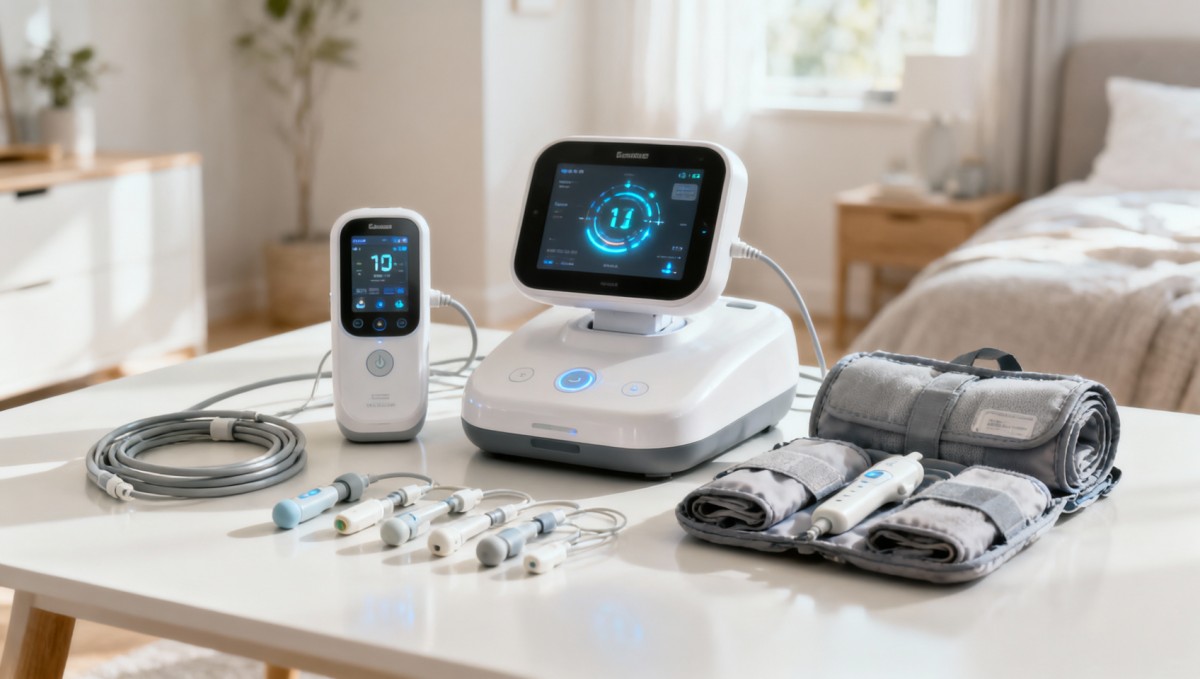
In home healthcare technology, ease of use is a measurable operating quality, not a vague marketing phrase. It usually combines 5 core elements: simple setup, intuitive controls, readable feedback, low training burden, and manageable maintenance. If a user can complete first-time setup in 10–20 minutes, understand status indicators within 3–5 seconds, and perform routine cleaning in fewer than 6 steps, the device is more likely to support sustained adherence.
This matters because home care environments are less controlled than hospitals. Lighting varies, internet stability may fluctuate, and users may include elderly patients, family caregivers, or operators rotating across multiple households. A device that depends on complex calibration, hidden menus, or frequent manual resets introduces operational risk. In practice, usability failures often appear as missed readings, avoidable service calls, or incorrect accessory replacement rather than dramatic device breakdown.
For procurement teams, the easiest product to use is usually the one that reduces friction across the full lifecycle: onboarding, daily operation, sanitation, software updates, and service escalation. A system may have a higher acquisition cost but lower operating burden if it cuts training hours from 8 to 2, reduces consumable errors, or supports guided troubleshooting through clear interface prompts.
Ease of use also depends on the type of technology. A connected rehabilitation device, a portable diagnostic instrument, and a medication support system each have different human-factor demands. However, all of them benefit from a small number of design constants: clear labels, limited task steps, stable connectivity, and predictable user feedback. In regulated sectors, these characteristics are linked to safer use and more consistent outcomes.
Operational signs of a usable device
A practical evaluation starts with direct observation. If an operator needs to consult a manual repeatedly during a standard workflow, the design may not be sufficiently intuitive. In many home care applications, a target of 3 or fewer interactions for routine tasks is a strong benchmark. For example, turning on a device, confirming patient identity, and starting the program should not require navigating several nested menus.
- Setup steps are visible and sequential rather than hidden across multiple screens.
- Buttons, touch areas, and indicators remain usable even for users with reduced dexterity or vision.
- Error messages explain what happened and what action is needed within 1–2 sentences.
- Cleaning and accessory replacement can be completed without specialized tools.
Why usability should be documented, not assumed
In B2B healthcare environments, ease of use should be validated through product documentation, workflow mapping, and service data where available. Researchers and technical evaluators should look for usability testing records, operator instructions, maintenance schedules, and risk management information. A device that appears simple in a brochure may still require weekly recalibration, narrow environmental conditions such as 10°C–30°C, or recurring accessory pairing that increases support burden.
Key design features that make home care devices intuitive
The easiest home healthcare technologies share a design logic centered on human factors. Whether the equipment supports respiratory care, rehabilitation, remote diagnostics, or basic specimen handling, the interface should reduce uncertainty. Most successful systems present one primary task per screen, use high-contrast text, and minimize optional settings during routine use. That lowers cognitive load for both patients and operators.
Another important feature is guided workflow. Instead of requiring users to remember sequences, well-designed devices use prompts, icons, and lockout logic to prevent incorrect actions. In a home setting, this can reduce misuse during the first 7–14 days after discharge, which is often the highest-risk period for nonadherence or setup confusion. Guided design is especially valuable for connected devices that combine hardware, software, and cloud reporting.
Physical design also matters. Portable units should typically remain within a manageable lifting range, often below 7–10 kg for frequent repositioning by one person. Handles must support safe transport, cable routing should avoid tangles, and detachable components should be shaped to prevent incorrect insertion. These are not minor details; they directly affect whether a device is used correctly every day.
Finally, maintenance simplicity is a major usability indicator. If daily care requires more than 10 minutes, multiple consumables, or highly specific storage conditions, compliance tends to decline. Good design shortens routine checks, clarifies replacement intervals, and supports remote diagnostics when possible. In distributed care networks, this can improve uptime and reduce field service demand.
Core usability features by function
The table below summarizes which design features matter most across common home healthcare technology categories. It can help researchers compare systems beyond basic performance claims.
A clear pattern emerges: intuitive design is specific to the use case, but it always reduces avoidable operator effort. The most reliable home care technologies are not merely compact or digital; they are structured to prevent routine mistakes under real-world conditions.
Common design mistakes
- Touchscreens that work well in demonstrations but become difficult under glove use or low light.
- Too many menu layers, forcing users to remember where key actions are located.
- Unclear accessory labeling, leading to improper assembly or replacement delays.
- Overly frequent notifications, which can desensitize users within 2–3 weeks.
How procurement teams and operators should evaluate usability before adoption
A sound home healthcare technology review should combine technical documentation with real workflow testing. Procurement teams often focus first on specifications, regulatory status, and cost. Those are essential, but they do not reveal how easily the equipment will be used in a home, satellite clinic, or mixed-care setting. A structured assessment should include at least 4 dimensions: user interaction, training burden, maintenance demand, and service responsiveness.
For information researchers, the objective is to translate product literature into operational evidence. That means comparing setup time, consumable dependency, data transfer reliability, update procedures, and cleaning instructions. For operators, the main concern is different: whether the system works predictably on day 1, day 30, and month 12. Evaluating both viewpoints together helps avoid procurement decisions based on isolated performance claims.
Pilot testing is especially important when devices are linked to home sample collection, rehabilitation adherence, or decentralized monitoring. A useful pilot does not need a large population. Even a 2–4 week internal review with 5–10 representative users can reveal recurring friction points such as misread alarms, charging issues, or data synchronization delays. These issues are expensive when discovered after scale-up.
When reviewing documentation, buyers should also verify how usability is supported by quality systems. Devices manufactured under ISO 13485-aligned processes, with clear instructions for use and traceable revision control, typically provide stronger consistency. If software is involved, update governance and rollback procedures should be understood before deployment, especially where remote monitoring influences clinical follow-up.
Procurement checklist for ease of use
The following table can be used as a screening framework during vendor comparison, technical review, or internal product shortlisting.
This type of checklist reduces subjective judgments. It also helps align hospital procurement, rehabilitation teams, and technical reviewers on the same criteria, which is important when equipment will be deployed outside traditional clinical infrastructure.
A practical 5-step evaluation flow
- Review intended use, operator profile, and relevant standards documentation.
- Map the daily workflow from unpacking to cleaning and storage.
- Run first-use tests with typical users, not only product specialists.
- Record failure points, repeated questions, and support dependencies over 2–4 weeks.
- Compare lifecycle burden, not just unit price, before final selection.
Implementation, maintenance, and integration risks in real home care settings
Even when a device is well designed, home deployment can fail if implementation is weak. Common barriers include inconsistent onboarding, missing accessory stock, poor connectivity planning, and unclear service ownership. These issues become more visible in distributed care programs where devices move across homes, rehab sites, and outpatient teams. In these environments, ease of use must be supported by operational discipline.
One major risk is mismatch between intended user and actual operator. A device may be designed for trained staff but end up handled by family caregivers for 80% of routine interactions. If training materials assume technical knowledge, everyday use becomes error-prone. This is why deployment plans should define who performs setup, who confirms data transmission, who manages cleaning, and who responds when alerts occur.
Maintenance is another frequent weak point. In home healthcare technology, serviceability depends on both design and logistics. Filters, sensors, test consumables, and wearable accessories all require replacement schedules. If replacement windows are vague or inventory is decentralized without tracking, device performance can decline gradually. A practical policy is to define 3 categories of maintenance: daily user care, monthly operator checks, and vendor-level service at scheduled intervals.
Integration should also be reviewed carefully. Connected equipment is easier to use when data moves automatically to the right dashboard, but difficult integration can create duplicate entry, inconsistent records, or delayed follow-up. For systems interfacing with lab platforms, rehabilitation software, or remote monitoring portals, buyers should ask how many manual steps remain and whether offline operation is possible during network interruptions.
Typical deployment risks and mitigations
The table below highlights recurring implementation issues and practical controls that can improve home care device performance after procurement.
The key lesson is simple: even easy-to-use home healthcare technology needs a disciplined deployment model. Strong products become more valuable when paired with predictable training, supply continuity, and clearly assigned support responsibilities.
Service and maintenance basics to confirm
- Whether routine cleaning uses standard materials or requires proprietary consumables.
- Whether preventive maintenance is calendar-based, usage-based, or condition-based.
- Whether software updates interrupt operation and how rollback is handled.
- Whether field replacement of common parts can be completed in under 15 minutes.
FAQ: selecting easy-to-use home healthcare technology for modern care programs
Search intent around home healthcare technology often centers on selection, rollout, and long-term reliability. The questions below address the most common concerns raised by procurement reviewers, technical researchers, and operators.
How do I know if a home care device is easy enough for non-specialist users?
Look beyond feature lists and ask for workflow evidence. A strong sign is that first-use success can be achieved after 1 demonstration or a short guided session, with routine tasks completed in fewer than 5 steps. Also check whether visual prompts, alarm definitions, and cleaning instructions are understandable without technical interpretation.
What matters more: advanced functions or simple operation?
In most home settings, simple operation is the foundation. Advanced functions are valuable only if users can apply them correctly and consistently. A device with 20 configurable options may be less effective than one with 5 well-structured modes if the latter improves adherence, reduces support calls, and shortens training time.
Which standards or documentation should researchers review?
Researchers should review intended use documentation, instructions for use, maintenance schedules, traceability information, and evidence of quality management alignment such as ISO 13485 processes where relevant. For products entering regulated markets, FDA and CE MDR documentation pathways also matter because they shape labeling, risk controls, and change management expectations.
How long should a pilot evaluation last before procurement?
A practical pilot often lasts 2–4 weeks. That is usually enough to identify recurring setup problems, charging or connectivity failures, alarm fatigue, or cleaning burden. Longer trials may be needed for rehabilitation adherence or recurring diagnostic workflows, especially when multiple user profiles are involved.
What is the most overlooked factor in home healthcare technology adoption?
Service clarity is often underestimated. Buyers may assess device performance carefully but overlook who handles training refresh, spare parts, software changes, and mixed clinical-technical issues. In practice, a clear support path can influence user satisfaction and operational continuity as much as the hardware itself.
Easy-to-use home healthcare technology is not defined by simplicity alone. It is defined by safe operation, low friction, clear maintenance, and reliable integration into real care pathways. For procurement teams, researchers, and operators, the best solutions are those that align clinical purpose with human-centered design and disciplined lifecycle support.
Within a medical and life sciences ecosystem that increasingly connects home care, diagnostics, rehabilitation, and quality-managed device evaluation, usability has become a strategic selection criterion. G-MLS supports this perspective by emphasizing data transparency, technical scrutiny, and cross-sector understanding across medical hardware and care technologies.
If you are comparing home healthcare technology, assessing device usability, or building an evidence-based procurement framework, now is the right time to review your criteria in more detail. Contact us to explore tailored evaluation support, consult product details, or learn more about practical solutions for rehabilitation, home care, and the wider medical technology landscape.
Recommended News
Metadata & Tools
Related Research
- CT Radiation Dose Optimization: Key Strategies to Improve Image Quality SafelyCT radiation dose optimization explained: discover practical strategies to reduce unnecessary exposure, protect image quality, and support safer, smarter CT decisions.
- How to Read Diagnostic Device Specifications for Smarter Technical EvaluationDiagnostic device specifications explained clearly: learn how to assess sensitivity, throughput, compliance, and interoperability for smarter technical evaluation and lower procurement risk.
- How Stable Is HEPES in Cell Culture Media? Key Factors and Storage LimitsHEPES media stability explained: learn how light, temperature, formulation, and handling affect cell culture performance, storage limits, and reliable lab results.
- How to Evaluate a Custom MRI Parts Manufacturer: Key Capabilities, Tolerances, and ComplianceCustom MRI parts manufacturer selection demands more than price checks. Learn how to assess tolerances, process capability, ISO 13485 compliance, and documentation for reliable supply.
- How to Choose Fanless Industrial PC Cooling for Dusty, High-Temperature EnvironmentsFanless industrial PC cooling for dusty, high-temperature environments: learn how to compare sealed designs, thermal performance, and reliability for safer uptime and smarter deployment.